- Select File > Add Account.
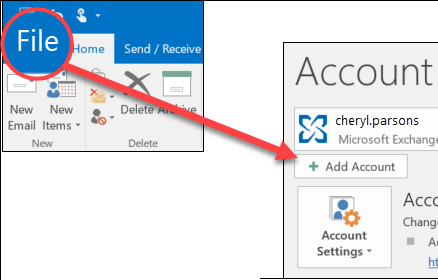
(If you don't see a File tab, perhaps you are using New Outlook for Windows. Go to New Outlook for instructions.)
- Enter your email address and click Connect.
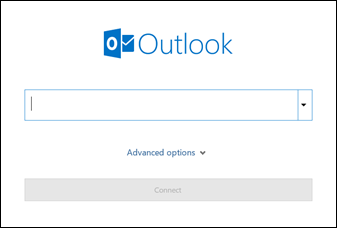
- When prompted, enter your password, then select. If prompted to approve MFA please do so on your mobile.
- Then click OK > Finish to start using your email account in classic Outlook for Windows.
Was this article helpful?
That’s Great!
Thank you for your feedback
Sorry! We couldn't be helpful
Thank you for your feedback
Feedback sent
We appreciate your effort and will try to fix the article